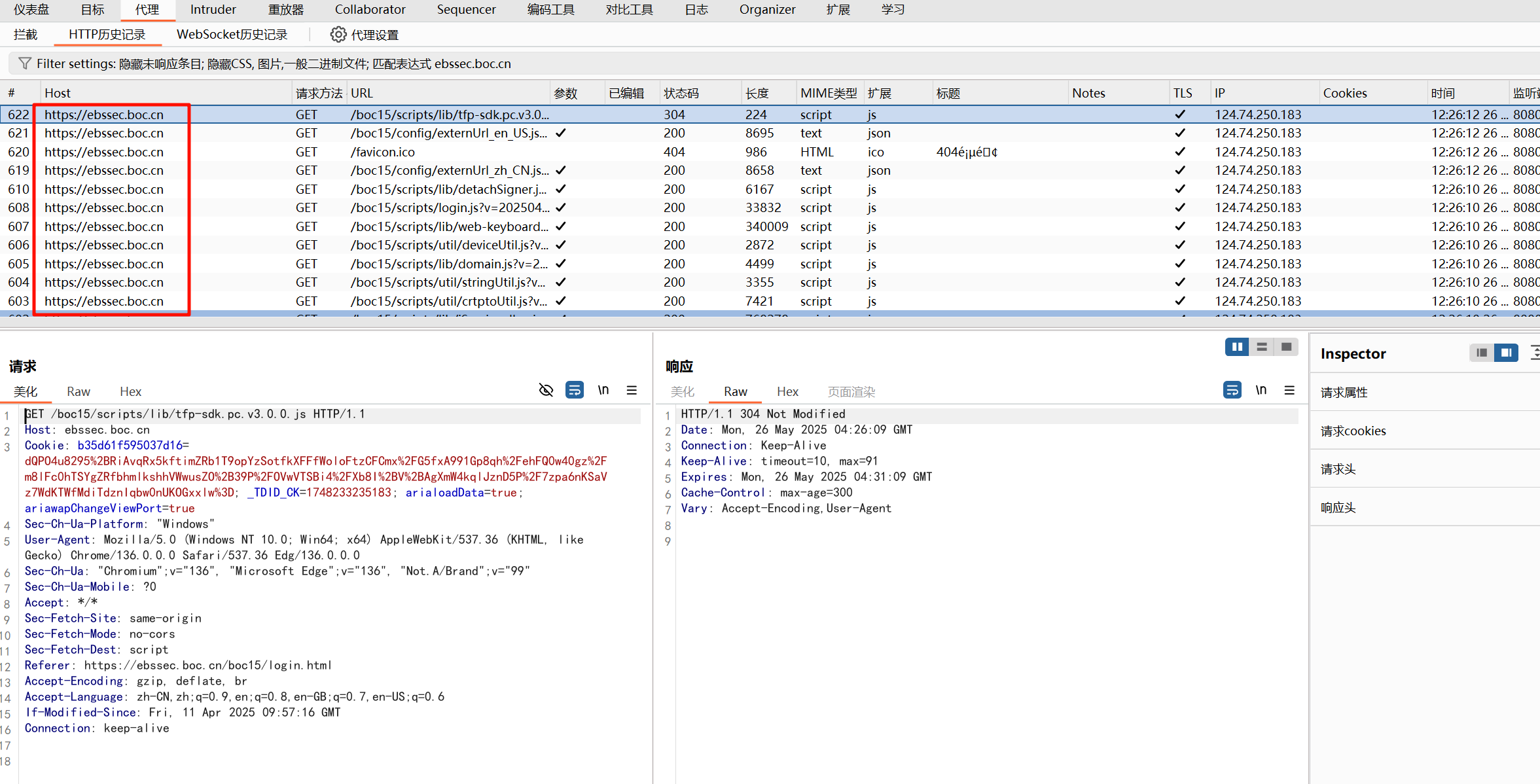
burp抓取国密TLCP协议的应用层数据
in 工具 with 1 comment

1、安装gmsocks代理

https://www.gmssl.cn/gmssl/index.jsp
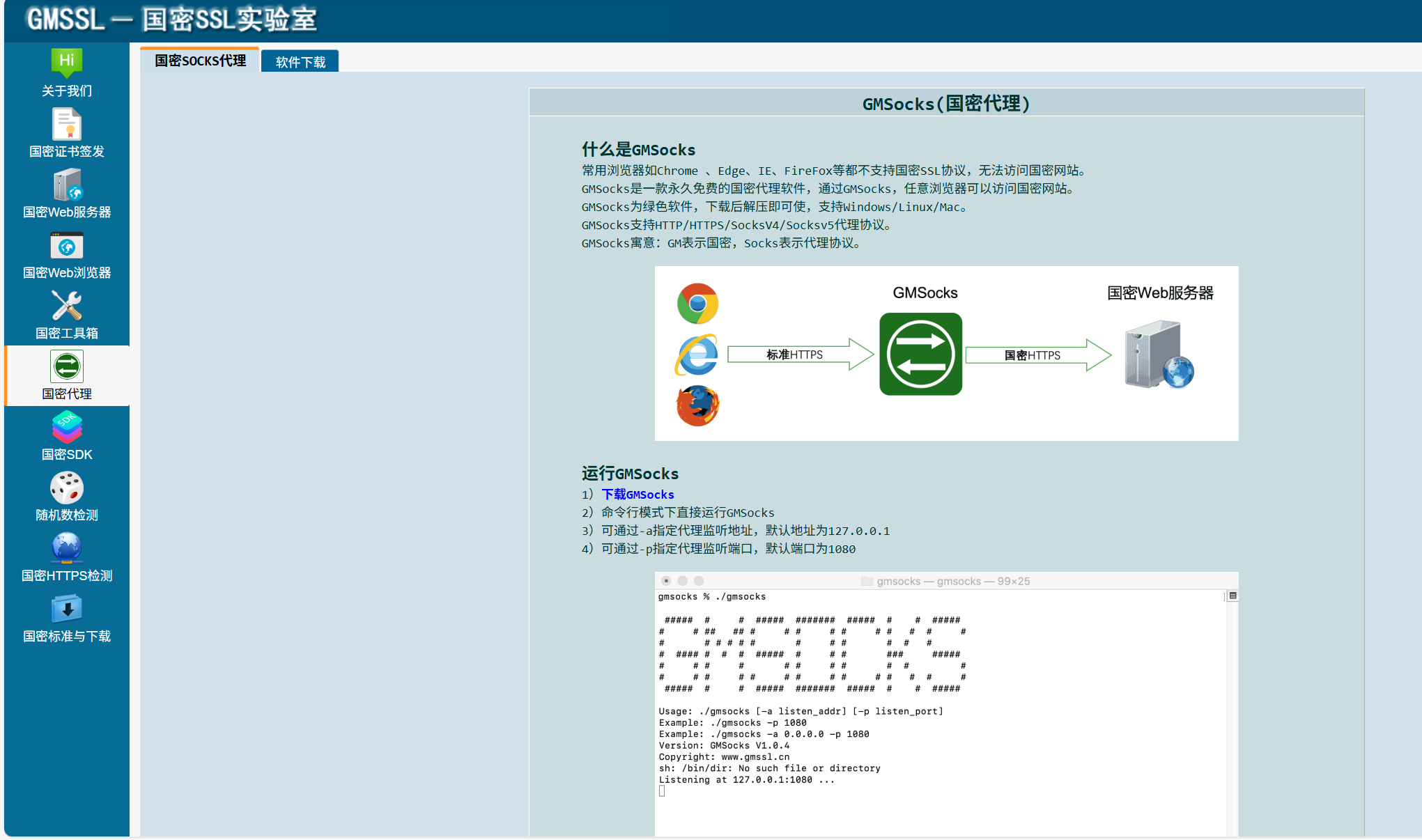
image.png

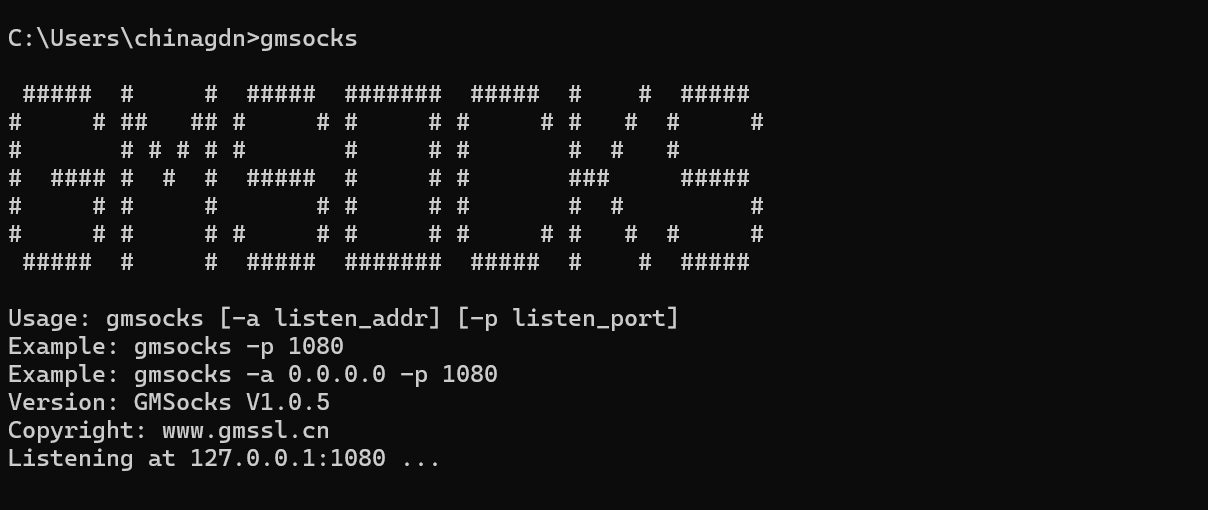
2、启动gmsocks

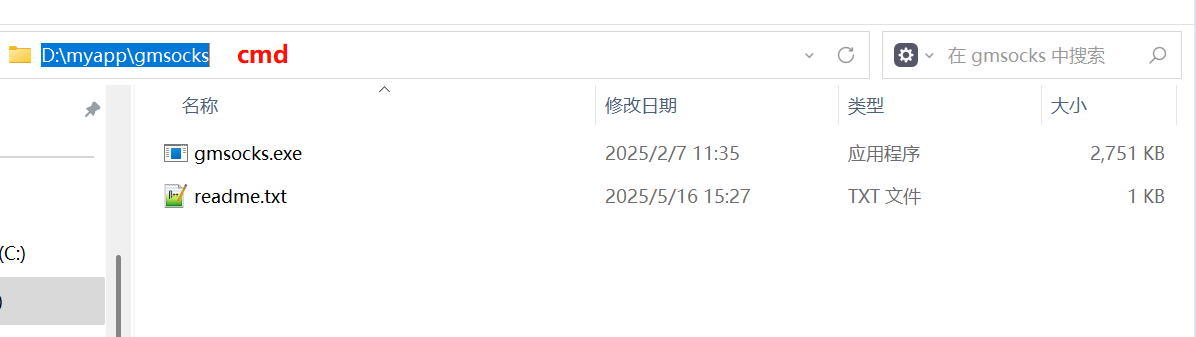
在指定的目录下执行cmd命令
image.png

.\gmsocks -a 0.0.0.0 -p 1080

image.png

3、burp配置

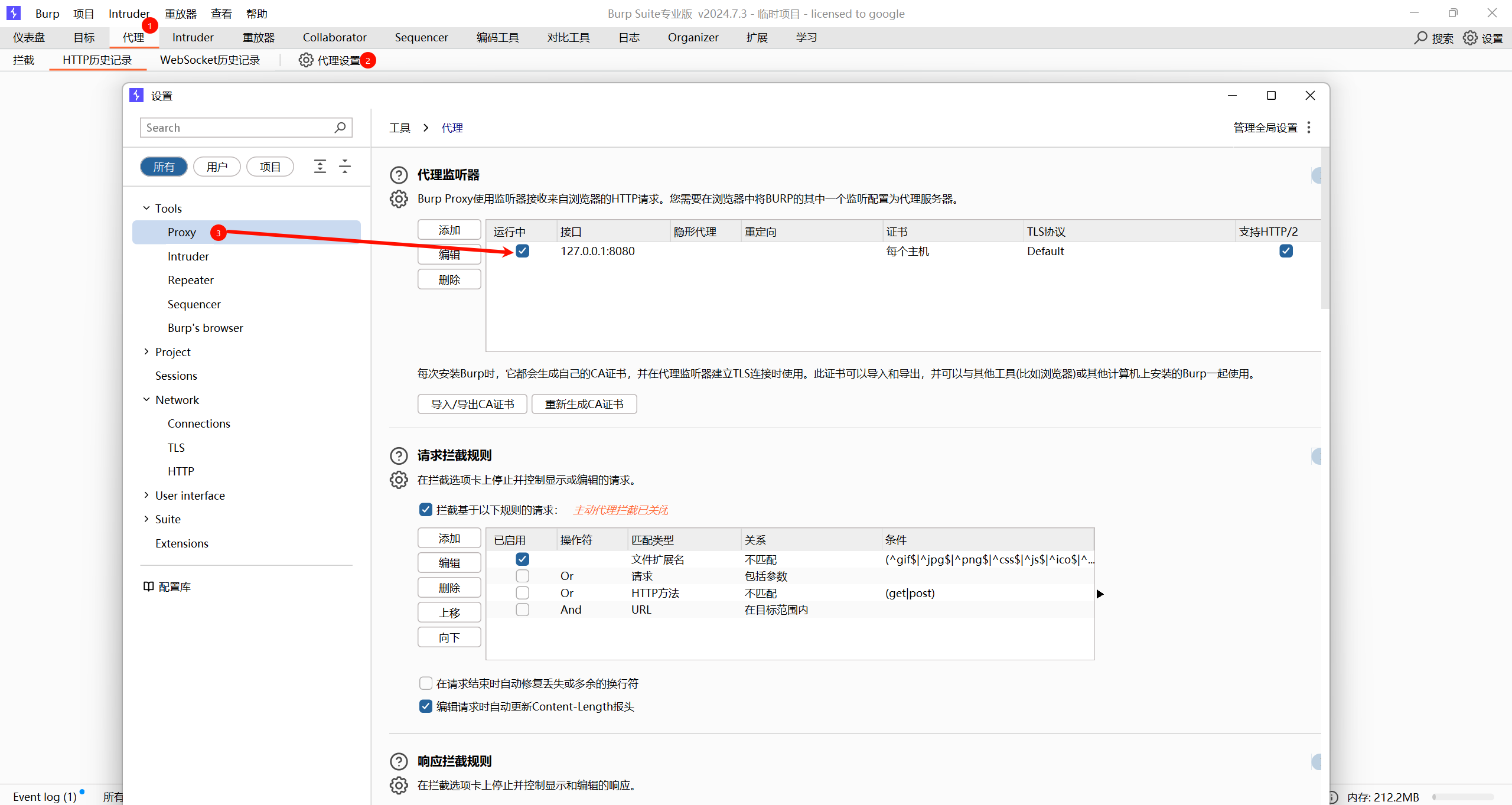
❶添加本地http代理,127.0.0.1:8080
image.png
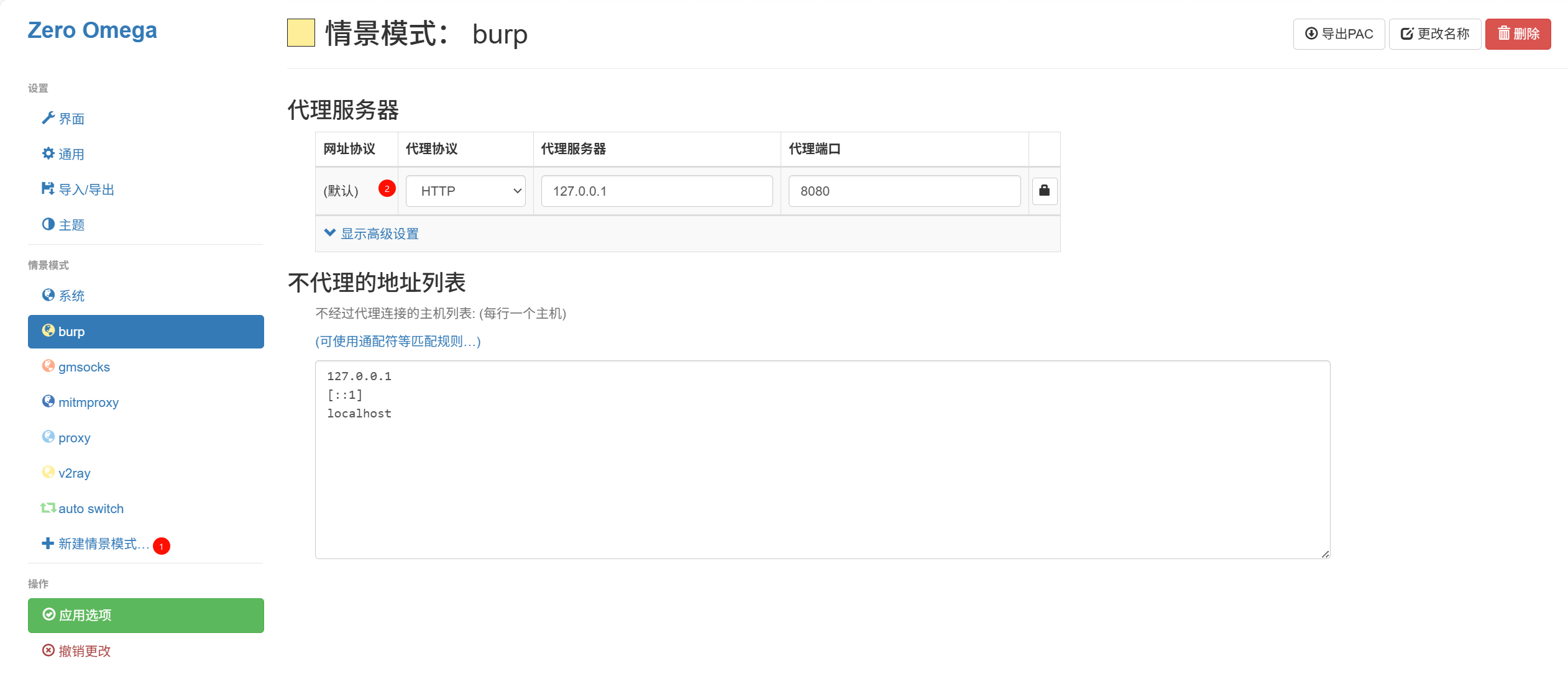
❷浏览器安装代理插件,使数据交给本地burp代理
image.png
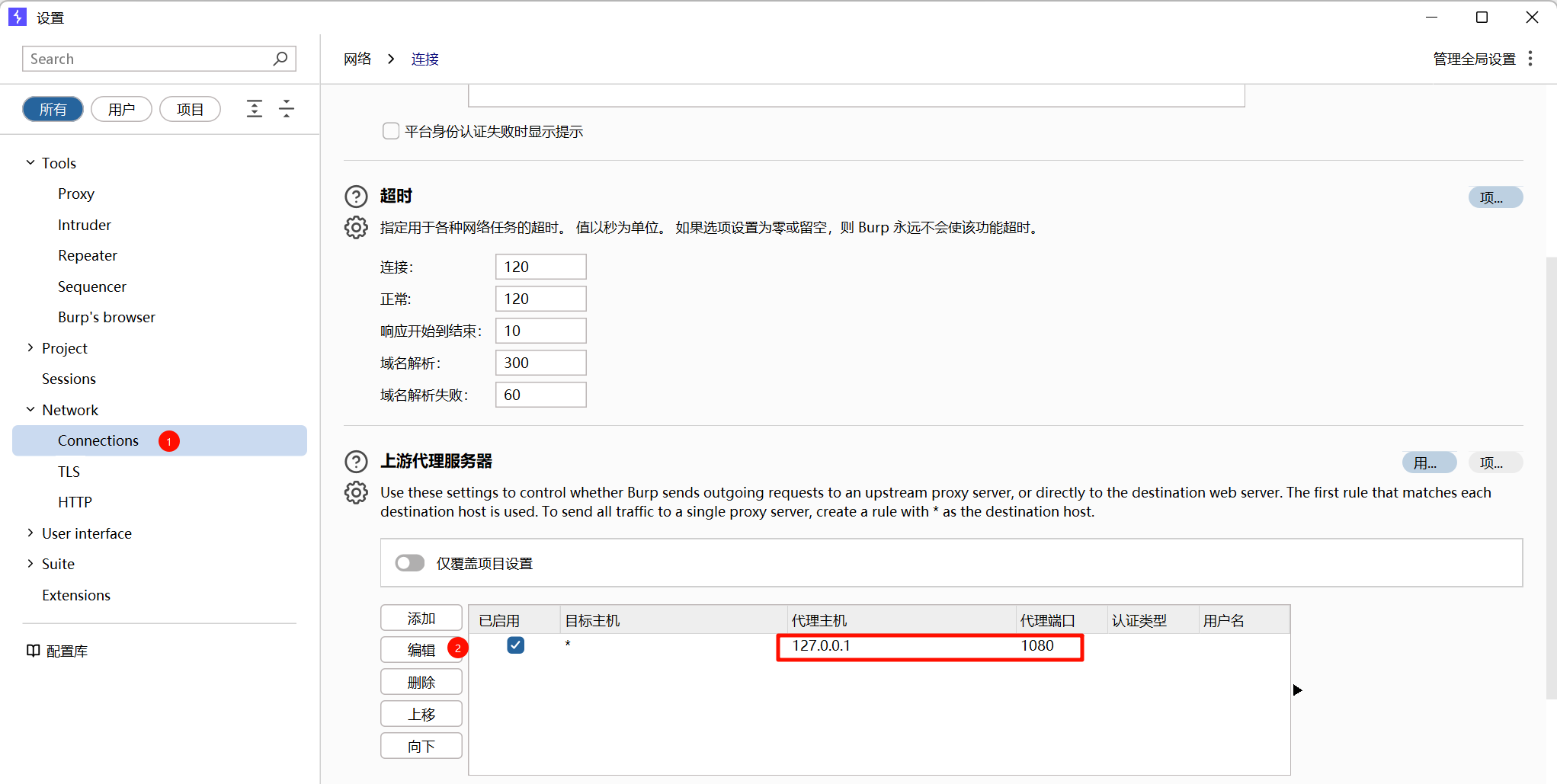
❸burp设置上游gmsocks代理
image.png
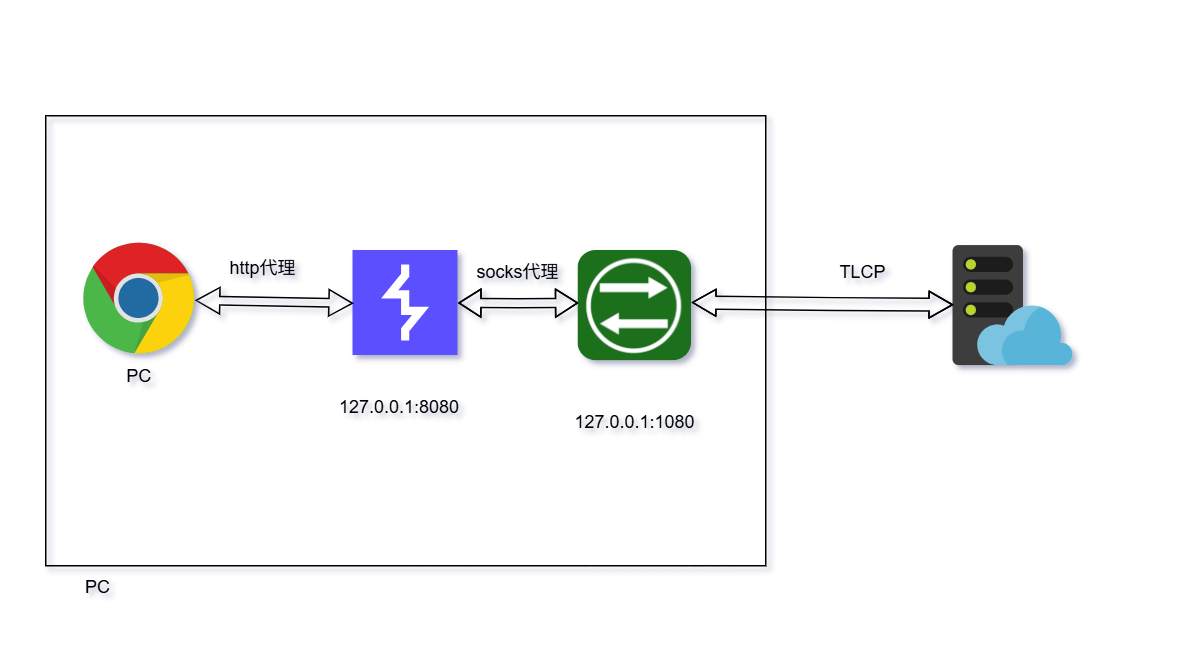
❹网络拓扑参考如下
image.png
❺此时访问国密网站就抓到应用层数据包
国密测试网站:https://ebssec.boc.cn
没有开启代理访问网站的情况
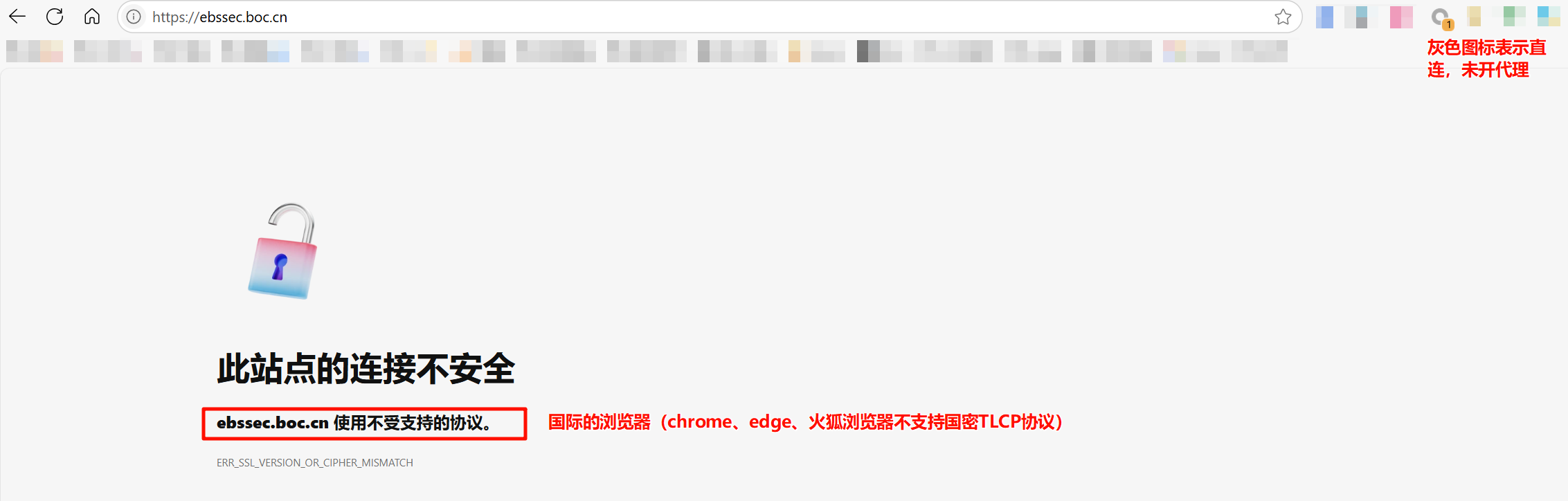
image.png
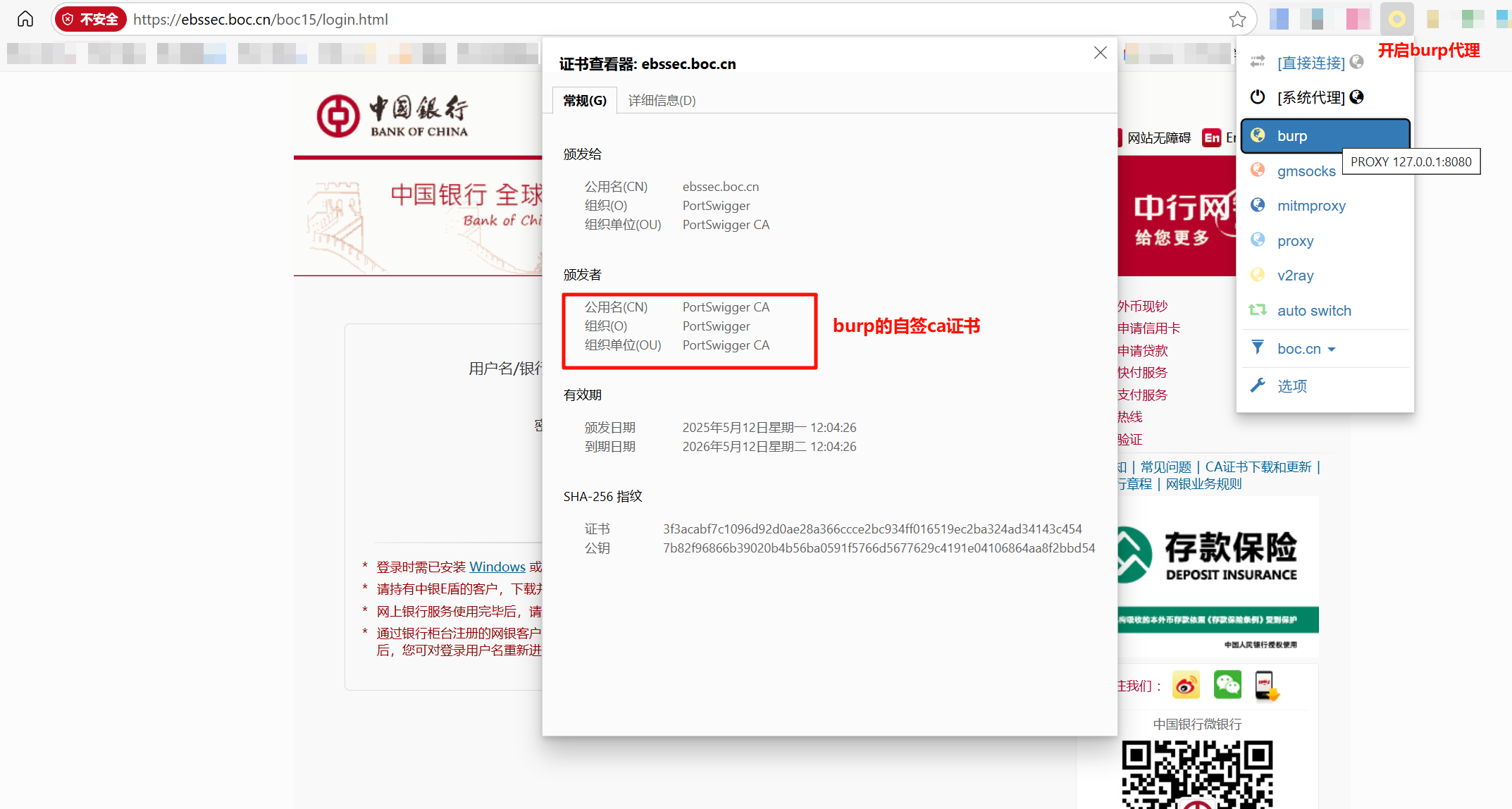
开启代理访问网站的情况
image.png

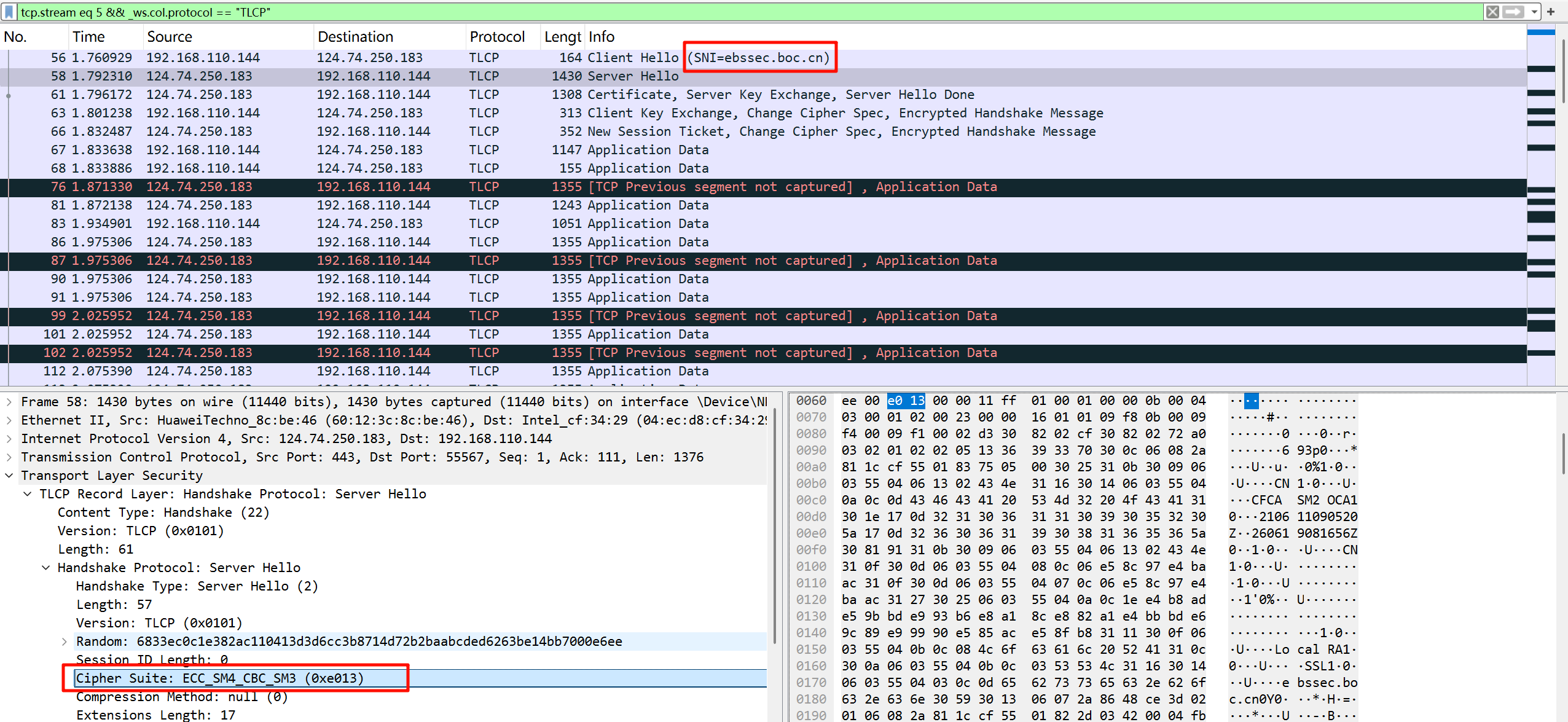
4、抓包

使用wireshark抓包
image.png
查看burp抓包取应用层数据
image.png

Warning: Undefined array key "permalink" in /usr/home/liyilin/domains/blog.lyl.us.kg/public_html/usr/themes/pinghsu/functions.php on line 255 Warning: Undefined array key "permalink" in /usr/home/liyilin/domains/blog.lyl.us.kg/public_html/usr/themes/pinghsu/functions.php on line 274
Responses / Cancel Reply
  1. 新车首发,新的一年,只带想赚米的人

    Reply